
Taking delivery
Last checked: 8 November 2026.
This page covers what to expect between order and delivery, how to inspect the car, and what to check on delivery day.
Delivery timeline
After ordering
Once you've signed the contract and paid your deposit:
- Confirmation: You should receive written confirmation of your order
- Build allocation: Your vehicle is allocated a build slot
- Manufacturing and shipping: The car is built and shipped to Australia
- Compliance and dealer delivery: The car is cleared, complied and prepared by your dealer
Typical timeframes
Total delivery times vary based on:
- Model and variant ordered
- Current stock levels
- Shipping schedules
- Time of year
Ask your dealer for a timeframe in writing. Cars in stock can be much quicker than a factory order.
Ordering around the 2027 7X (MY27) changeover
Orders for the updated 2027 7X (MY27) opened on 1 November 2026, with first deliveries expected in December 20261. If you've ordered a 7X, confirm in writing which model year you're getting. See Which 7X do I have?.
Stay informed
- Your dealer should provide regular updates
- Don't hesitate to follow up if you haven't heard anything for a while
- Get delivery updates in writing when possible
Pre-delivery inspection (PDI)
Before your vehicle arrives at the dealership, it undergoes a pre-delivery inspection.
What happens in PDI
The dealer should:
- Remove transport packaging and protective films
- Check for any transport damage
- Verify all features and systems function correctly
- Charge the battery to an appropriate level
- Clean and detail the vehicle
- Apply any dealer-installed accessories
- Perform final quality checks
Your rights
If there are any issues found during PDI:
- The dealer should address them before delivery
- You have the right to inspect the vehicle before accepting it
- Don't accept delivery if you're not satisfied
- Get any concerns documented
Delivery day checklist
The Handover checklist has the full list to tick off on your phone at the dealer, from the apps to set up the day before to the first weeks with the car. The essentials:
What to bring
- Photo ID: Driver's licence (the one you'll be insured under)
- Payment: Final payment method arranged (bank transfer confirmation, finance documents)
- Insurance proof: Confirmation of comprehensive insurance starting from delivery day
- Number plates: If transferring existing plates, bring the transfer papers
- Camera/phone: For photos if you find any issues
- The checklist: the Handover checklist ticks off on your phone, or prints
Allow enough time
A proper delivery handover takes 1-2 hours. Don't rush it. Ask the dealer to schedule your delivery when they can give you proper time and attention.
Vehicle inspection on delivery
Before signing anything, inspect the vehicle thoroughly.
Exterior inspection
Walk around the vehicle in good light (ideally outdoors in daylight):
- Paintwork: Check all panels for scratches, chips, or imperfections
- Panel gaps: Look for even spacing between panels
- Glass: Inspect windscreen, windows, and sunroof for chips or cracks
- Lights: Test all lights function (headlights, indicators, brake lights, reverse lights)
- Tyres: Check for damage, correct pressures, and matching brands/models
- Wheels: Look for scratches or damage on rims
- Cameras and sensors: Check lenses are clean and undamaged
- Charging port: Open and inspect the charging port cover and socket
- Doors and boot: Open all doors and boot, check seals and operation
Interior inspection
Inside the vehicle:
- Seats: Check for marks, tears, or damage on all seats
- Trim: Inspect all interior trim pieces for damage or loose fittings
- Screens: Check infotainment and instrument displays for dead pixels or damage
- Controls: Test steering wheel buttons, window switches, seat adjustments
- Climate control: Test heating and cooling
- Panoramic roof: Open and close if equipped, check for unusual sounds
- Boot: Check carpet, tyre repair kit, and all storage areas
- Smell: New car smell is normal, but musty or chemical smells aren't
Functional tests
Before you drive away:
- Start/stop: Test starting the vehicle
- All electrics: Windows, mirrors, seat adjustments, climate control
- Infotainment: Screen responsiveness, sound system
- Driver assistance: Lane keeping, adaptive cruise (test on the road if possible)
- Charging: If possible, test plugging in a charging cable
- Cameras: Reverse camera, 360° camera (if equipped)
- Lights: All interior and exterior lights
- Wipers: Front and rear wipers and washers
If you're collecting a 2027 7X (MY27)
These are standard on every MY27 grade, so check they're there and working12:
- The built-in DVR (dashcam) records, and the dealer shows you where to find the footage
- Rear privacy glass is fitted
- The rear number plate is on the tailgate, not the bumper (the MY25/MY26 car has it on the bumper)1
If you ordered under the MY27 launch offer, get the included items in writing: two years of servicing, a 7 kW wallbox (supply only; installation is at your cost), and your free colour choice13.
Document any issues
If you find anything:
- Take photos
- Note it on your delivery paperwork before signing
- Ask the dealer how they'll address it
- Get the resolution plan in writing
- Don't accept delivery if issues are significant
Delivery orientation
The dealer should provide a comprehensive orientation to your new Zeekr.
What should be covered
- Charging: How to open the port, plug in, and monitor charging
- Drive modes: What each mode does
- Regenerative braking: How regen works and how to adjust it
- Key features: Driver assistance systems, parking aids, cameras
- Infotainment: Basic operation, connecting phone, navigation
- Climate control: Operation and pre-conditioning
- Safety systems: Location of safety equipment, how safety features work
- Maintenance: The service schedule in your Service & Warranty Booklet, and how to book
- Warranty: What's covered and for how long
- Emergency procedures: Zeekr Roadside is 1800 093 357, 24/74
Ask questions
This is your time to learn about your vehicle. Ask about anything you don't understand. Common questions:
- How do I pre-condition the cabin?
- What charging speed can I expect on different chargers?
- How do I update the software?
- What's the difference between the driving modes?
- How do I turn off/adjust driver assistance features?
- Where's the spare tyre or repair kit?
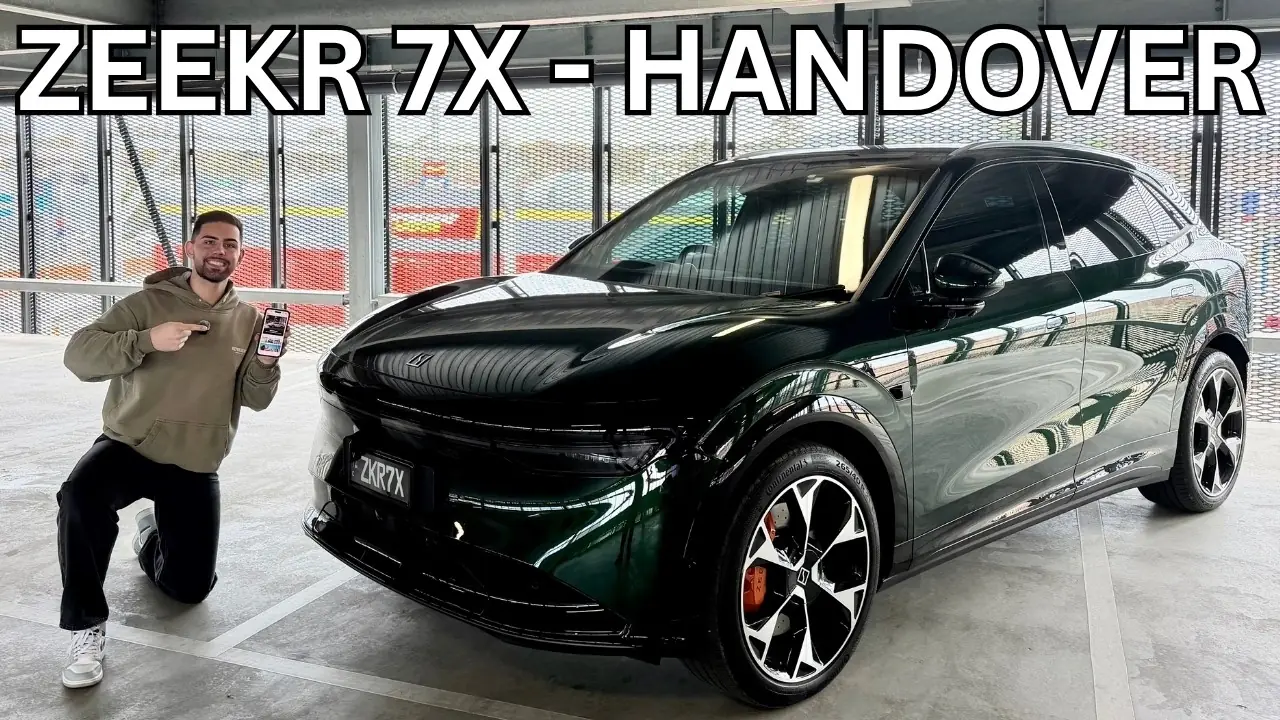
Video: a 7X handover
A walkthrough of a 7X handover, covering the infotainment and the Zeekr app7. It shows the MY25/MY26 car.
Common things people miss
Based on ZI member experiences, don't forget to:
- Check the spare/repair kit: Ensure it's present and complete
- Test charging port: Actually plug in a cable if possible
- Check all keys/cards: Ensure you have all keys provided
- Verify accessories: Any promised floor mats, cargo covers, etc.
- Get manuals: Physical or digital owner's manual access
- Remove protective films: Check for film still on screens or trim
- Check number plates: Correct plates fitted securely
- Test phone connectivity: Pair your phone before leaving
- Understand child seat points: If relevant to you
- Photo the odometer: Document delivery kilometres
Documents you should receive
Ensure you get:
- Certificate of Compliance: Proves the vehicle meets Australian standards
- Owner's manual: Physical book or digital access
- Service & Warranty Booklet: Zeekr's warranty policy refers to it for the service schedule, and you'll need it when making a claim5
- Warranty documentation: Terms and conditions of manufacturer warranty
- Dealer receipt: Proof of purchase with full drive-away price breakdown
- Registration papers: Vehicle registration documents
- Insurance details: If arranged through dealer
- Charge cards: If any charging network cards are included
After delivery
For the first weeks of ownership (app, keys, home charging, settings), see First 30 Days.
What if there are issues?
During delivery
- Don't sign acceptance if you're not satisfied
- Raise concerns immediately with the delivery manager
- Get agreement on resolution in writing
- If necessary, defer delivery until issues are resolved
After delivery
If you discover issues after leaving the dealer:
- Document it: Photos and written description
- Contact the dealer promptly: Zeekr's warranty policy asks for warranty claims to be reported to an authorised dealer within 7 calendar days, or as soon as practicable5
- Australian Consumer Law: Your consumer guarantees apply in addition to the manufacturer's warranty56
- Warranty coverage: Check whether the issue is covered under warranty
- Keep records: All communication about the issue
Escalation
If the dealer isn't responsive:
- Ask to speak with the dealer principal
- Contact Zeekr Australia Customer Support: 1800 093 357 (9:00 am to 6:00 pm AEST, Monday to Friday, excluding public holidays) or customersupportau@zeekrlife.com4
- Contact your state's fair trading or consumer affairs office
Sources 7Everything on this page is sourced from the links below.
-
CarExpert, "2027 Zeekr 7X update: more power, same price", https://www.carexpert.com.au/car-news/2027-zeekr-7x-update-more-power-same-price, accessed 8 November 2026.
-
The Beep, "2027 Zeekr 7X adds power and features without a price rise", https://thebeep.com.au/car-news/2027-zeekr-7x-update-price-specs-australia/, accessed 8 November 2026.
-
ZeCar, "Zeekr 7X MY27 launch offer", https://zecar.com/offers-and-deals/zeekr-7x-my27-launch-offer-2026, accessed 8 November 2026.
-
Zeekr Australia, "Service and Warranty", https://www.zeekrlife.com/en-au/service, accessed 8 November 2026.
-
Zeekr Intelligent Technology Australia, "Australian Warranty Policy", https://www.datocms-assets.com/130529/1770683613-australian-warranty-policy.pdf, accessed 8 November 2026.
-
ACCC, "Just bought a new car?", https://www.accc.gov.au/about-us/news/media-updates/just-bought-a-new-car, accessed 8 November 2026.
-
Nate's Tech & Torque (YouTube), "Zeekr 7X - Detailed Delivery Handover | Infotainment, App Guide and everything you need to know!", https://www.youtube.com/watch?v=KlVyyYCinu4, accessed 8 November 2026.